

Walk past a bank of flat displays and a curved one, and your eyes go to the curve every time. That’s not an accident, a curved touch monitor wraps the image slightly around your field of view, so edges feel closer and colors hold their punch even when you’re standing off to one side.
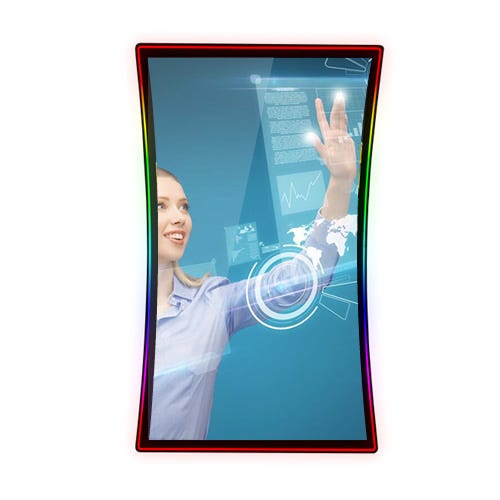
For anyone comparing display options for a retail counter, a control room, or a home office upgrade, that difference in feel is usually the first thing people notice.
Why the Curve Changes What You Actually See
A curved screen isn’t a style choice tacked onto a regular monitor. The panel is bent along one axis so that every point on the display sits at roughly the same distance from your eyes. On a flat screen, the corners are farther away than the center, which is why wide flat monitors can look slightly distorted at the edges. Curving the panel fixes that geometry problem directly.
Edge distortion drops, so text and graphics stay sharp corner to corner
Peripheral vision picks up more of the image without extra eye strain
Colors and contrast stay consistent even when you’re viewing from an angle
Viewing feels more natural during long shifts at kiosks or workstations
How the Curve Improves Touch Accuracy, Not Just Looks
Visual comfort is only half the story. On a curved touch monitor, the screen surface follows the natural arc your hand makes when reaching across a display, so your finger tends to land closer to where your eye expects it to. That matters for:
Swiping through menus without missing or double taps
Signing forms or entering PINs at a checkout counter
Dragging sliders or scrubbing timelines with fewer corrections
Fewer missed taps mean faster transactions and less frustration, which is exactly what retail counters, self-service kiosks, and control panels need.
The Visual Performance Numbers Behind the Curve
Curved displays can reduce eye movement across a wide screen by close to 25% compared with flat panels of the same size, since the eyes travel a shorter arc to cover the same content. Multi-touch capacitive panels generally register response times under 10 milliseconds, so taps feel instant rather than delayed.
And in commercial kiosk deployments, brands report that curved, illuminated displays draw noticeably more foot traffic simply because passersby stop to look.
Built to Hold Up, Not Just Look Good
That visual edge only matters if the screen keeps working. Many curved displays are engineered as industrial touch screens, built to handle dust, grease, and thousands of taps a day without lagging or fading, whether the screen sits on a factory floor or a busy retail counter.
And where space is tight, the same curved panel is often available as a Rack Mount Monitor, sliding into a control cabinet so the visual and touch benefits aren’t lost just because of the install.
Making the Switch
The curve reduces eye strain and edge distortion; the touch layer speeds up every interaction, and a durable build keeps both benefits intact for years.
Look at your lighting, your viewing angles, and how often people will touch that screen, then pick the curved touch monitor that earns its keep rather than the one that just looks good in a photo.